// blog
The 10 Best Stock Tracker Apps for 2026
Are you tracking stocks, or are you tracking whether your thesis still holds? That's the gap most stock tracker apps leave untouched. They show prices, charts, and alerts, but the better tools also help you assess whether a holding still fits your process, your time horizon, and your tolerance for drift.
That difference matters because a tracker is only useful when it gives context, not just motion. Historical quote depth is one of the clearest dividing lines. Nasdaq's historical-data pages note that historical quotes provide several years of daily stock prices and volumes for each stock, while Investopedia explains that investors can sort historical quotes by daily, weekly, or monthly intervals and often view dividends and stock splits alongside prices, which is why serious trackers lean on history instead of today's quote alone. Nasdaq historical quotes
The category has also broadened. Apple's App Store listing for Investing.com says the app provides real-time quotes and historical data across major global markets, including the Dow Jones, NASDAQ, and S&P 500 in the U.S. and the FTSE 100, DAX, and CAC 40 in Europe, while Google Play listings for tracking apps now advertise deep fundamentals, extended price history, and dividend statistics. Investing.com on the App Store
Use the list below to match a tool to your style, not to the loudest feature set.
Table of Contents
- 1. Monsa
- 2. Seeking Alpha Portfolio and Premium
- Why it works for research-led investors
- 3. Yahoo Finance Plus Bronze Silver Gold
- Best fit profile
- 4. Morningstar Investor
- Who should skip it
- 5. Simply Wall St
- Best fit profile
- 6. Stock Rover
- 7. TradingView
- Best fit profile
- 8. Sharesight
- 9. Kubera
- Best fit profile
- 10. Koyfin
- Best fit profile
- Top 10 Stock Tracker Apps Comparison
- Aligning Your Tools with Your Investment Thesis
1. Monsa
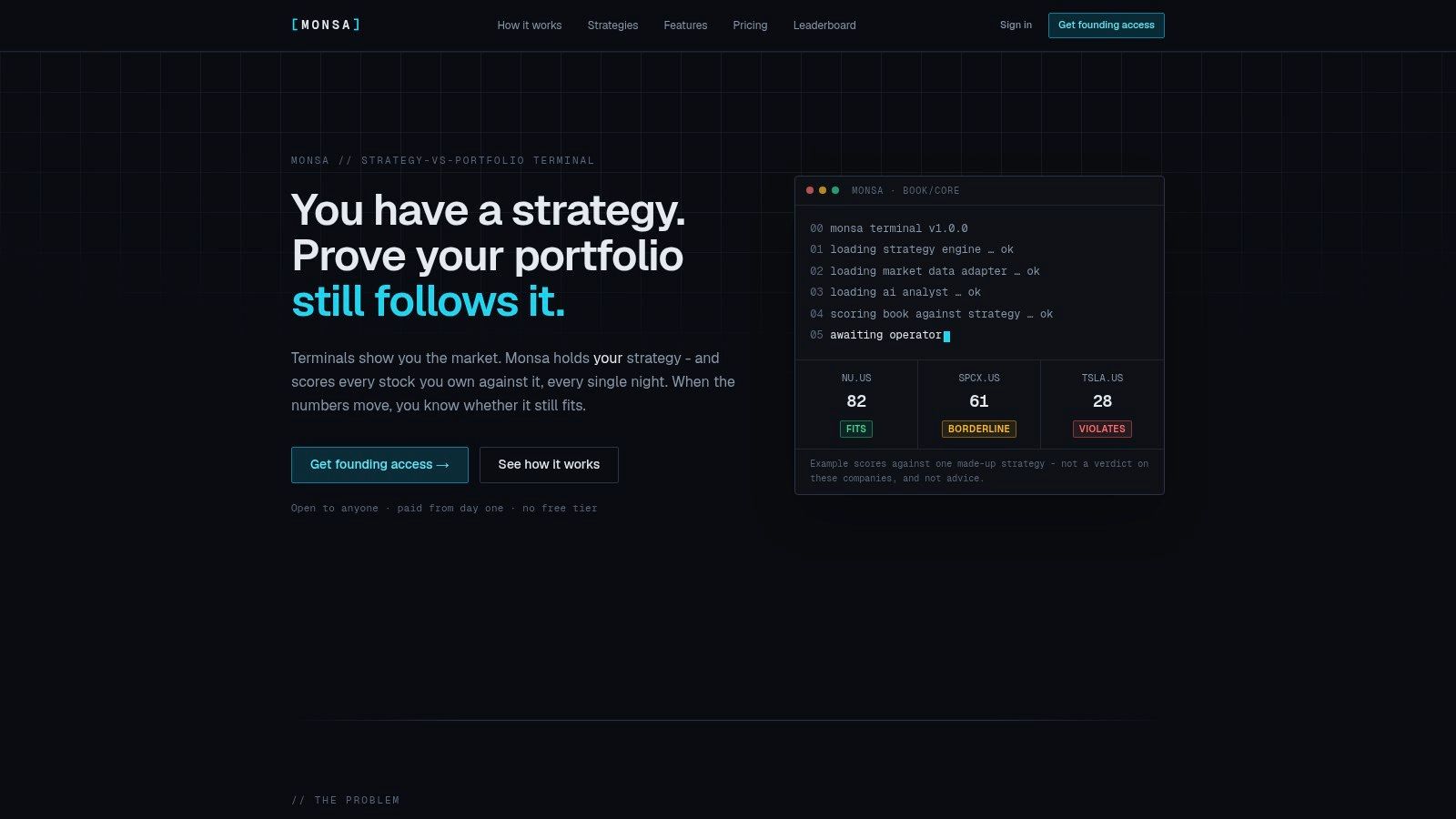
Monsa is the clearest fit for investors who care more about discipline than price noise. It takes a written thesis, or one of its built-in strategy templates, and turns that into explicit rules, then re-scores each tracked ticker nightly against those rules. The result is a fit verdict, fits, borderline, or violates, plus a breakdown that separates deterministic metrics from AI-judged qualitative calls.
That design makes Monsa useful for self-directed equity investors who don't want a generic dashboard. Its matrix view shows every stock against every strategy, and the platform flags metrics as reported, derived, or missing, which keeps the scoring transparent instead of black-box. It also supports watch-only scoring, so you can evaluate a name before committing capital, and it checks portfolio-level constraints such as position size and sector caps at the book level.
Practical rule: If your main problem is thesis drift, not quote access, a tracker should tell you when a holding no longer belongs in the portfolio.
The product is also built for users who work across markets, not just one exchange. Monsa refreshes end-of-day fundamentals, prices, and FX for US and major European exchanges, and it includes price alerts, P&L tracking, and drift tracking for ongoing oversight. Its AI layer, powered by Claude, generates what-would-change notes and tear-sheets, which matters more for rule-based review than for casual browsing.
Monsa is a paid analysis terminal, not a broker. That makes it a better fit for independent PMs, small RIAs, investment clubs, and creators who need accountable rules rather than execution tools.
Website: Monsa
2. Seeking Alpha Portfolio and Premium
Seeking Alpha fits investors who want their tracker tied to research, not separated from it. Portfolio sync and import features sit next to alerts, health checks, and proprietary Quant Ratings, so the platform works well when you want a holdings view that immediately points you toward follow-up research. It's a strong match for buy-and-hold investors who still check their portfolio regularly and want the tracking layer to surface relevant articles and factor-based signals.
The core appeal is that it reduces switching between tools. If you track a stock in Seeking Alpha, you can read analysis, inspect factor grades, and review transcripts in the same ecosystem. That setup suits investors who make decisions from a mix of narrative and data, especially if they're comfortable with the idea that research depth is more valuable than minimalist design.
For a direct comparison with a rules-first tracker, see this side-by-side on Monsa and Seeking Alpha.
Why it works for research-led investors
Seeking Alpha's strength is the way it combines a live portfolio layer with a large research library. That makes it more useful for people who want to ask, “Why did this name move in my portfolio?” rather than “Should I reduce exposure because the chart broke support?” The platform's factor grades and screening tools make it easier to keep research anchored to holdings.
- Best for: Investors who read thoroughly before changing positions.
- Less ideal for: Users who want a lightweight, rules-based tracker with transparent scoring.
- Core strength: Research and portfolio tracking live in one place.
3. Yahoo Finance Plus Bronze Silver Gold
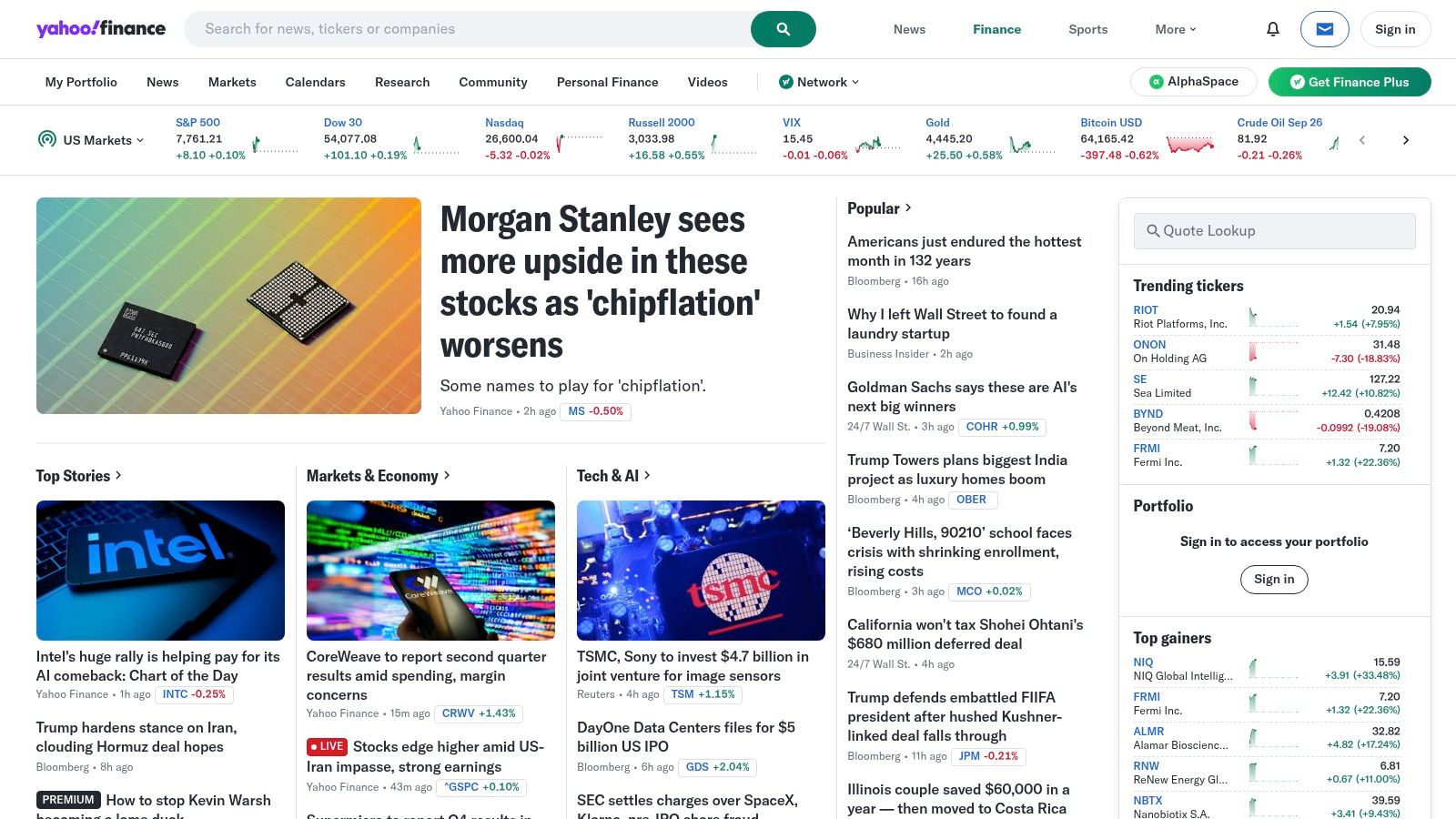
Yahoo Finance Plus is the safest choice for investors who already live inside the Yahoo ecosystem and want a familiar place to centralize accounts. Its portfolio import and export tools, multi-account aggregation, watchlists, alerts, and cross-device sync make it a practical everyday tracker for people who don't need a specialized workflow. The interface is widely recognizable, which lowers the learning curve for casual and moderately active investors.
It also makes the migration problem easier. If someone has been using Yahoo Finance for years, moving to Plus usually feels like an upgrade rather than a reset. That matters for users who value continuity more than novelty, especially when the priority is checking holdings, scanning the market, and keeping alerts in one place.
The trade-off is depth. Yahoo Finance Plus gives you a more capable version of a familiar platform, but it still trails dedicated research terminals and rules-based portfolio tools in analytical rigor. It's best viewed as a broad-purpose tracker for users who want convenience and cross-device access, not a serious thesis monitor.
Best fit profile
This app works well for everyday investors who want a simple upgrade path from free tracking into paid features. It's especially sensible for people with multiple accounts who want an aggregated view without rebuilding their whole process.
Website: Yahoo Finance
4. Morningstar Investor
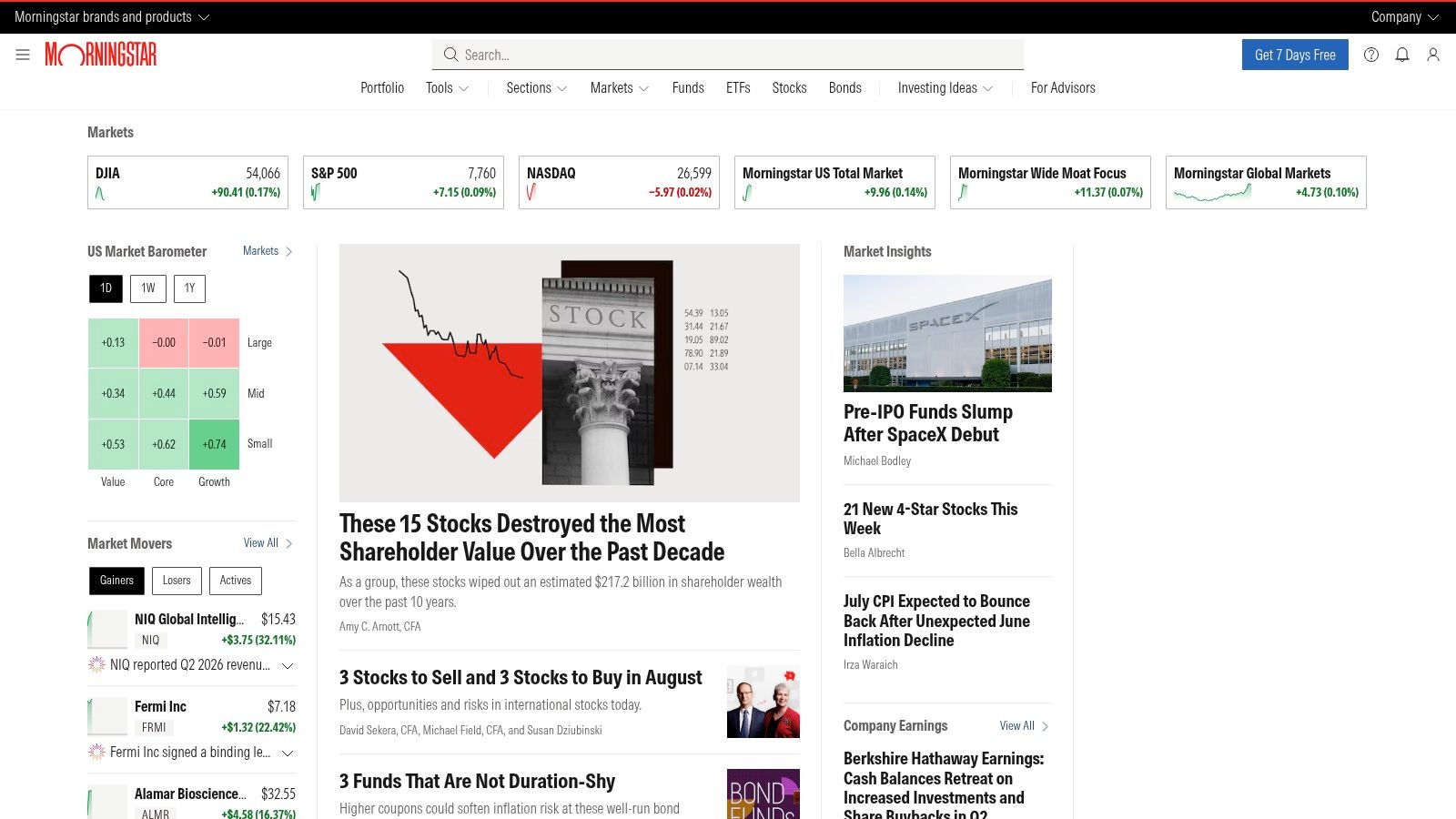
Morningstar Investor is the right choice when your portfolio questions start with fundamentals and funds, not momentum. Its Portfolio X-Ray and holding-level analytics make it particularly strong for investors who want to understand what they own, especially in fund-heavy portfolios where look-through exposure matters more than daily price movement. Morningstar's research and ratings are built into the portfolio experience, which keeps analysis close to the holdings themselves.
That makes it a natural fit for long-term investors who think in terms of allocation quality, sector exposure, and underlying holdings. It's not the lightest interface on this list, because it's built around research rather than quick glances, but that's also the point. Morningstar Investor behaves more like a portfolio research desk than a watchlist app.
Who should skip it
If your main need is intraday alerting, technical charting, or a fast-moving trading interface, Morningstar will probably feel too deliberate. It's better suited to people who review holdings in depth and want context that goes beyond price and gain-loss.
Morningstar is strongest when the question is “What am I exposed to?” rather than “What just happened today?”
Website: Morningstar
5. Simply Wall St
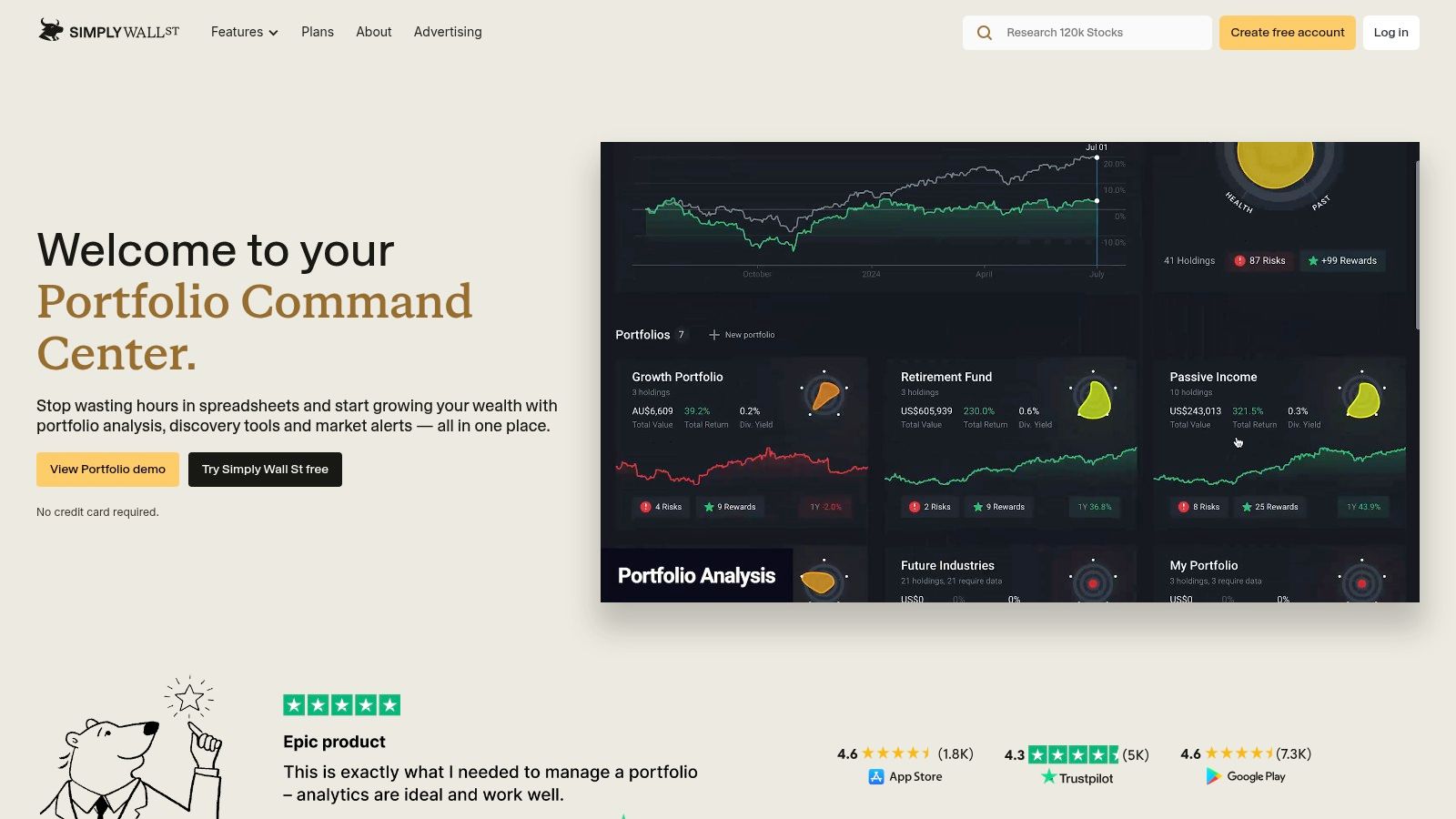
Wall St is built for investors who want fundamentals without staring at spreadsheets all day. Its visual Snowflake summary turns a company's profile into something much easier to scan than a dense ratio table, which makes it useful for idea vetting and long-term monitoring. The platform's fair-value estimates and valuation models also help users keep a clear thesis check in view.
That visual style is its main advantage. Someone who tracks a lot of companies but doesn't want to sift through rows of raw data can use Simply Wall St to identify which names deserve a deeper look. It's not trying to be a professional terminal, and that restraint makes sense for individual investors who prefer an approachable overlay on top of fundamental analysis.
It's also a better fit for research and monitoring than for active trading. The platform helps you understand a company at a glance, but it doesn't replace a deeper workflow when you need multi-market coverage, book-level constraints, or more advanced rule testing.
Best fit profile
Wall St suits long-term investors who want a cleaner visual explanation of fundamentals. It's especially useful for idea screening, portfolio sanity checks, and quick valuation context.
Website: Simply Wall St
6. Stock Rover
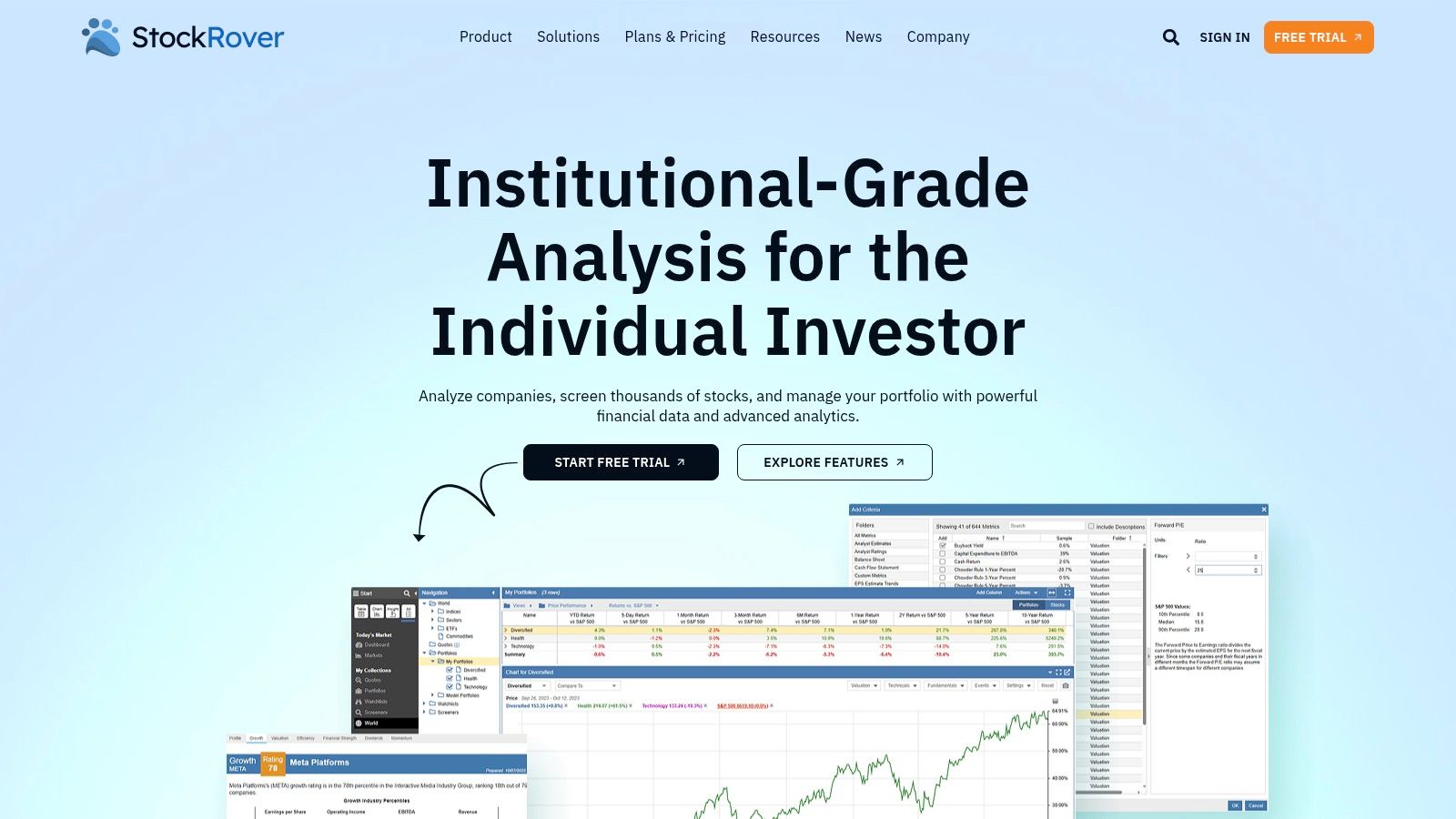
Stock Rover is for investors who think like spreadsheet users but want a real tracking platform underneath. Its broad metric screeners and custom views give you a large amount of control over how you inspect U.S. stocks, ETFs, and funds, which makes it a strong fit for research-heavy retail investors who enjoy building their own filters. The portfolio tracking layer adds warnings, alerts, and profit-and-loss reporting, so the tracker side is more than decorative.
The main reason to pick Stock Rover is configurability. You can compare names side by side and move from screening into portfolio review without leaving the platform. That's a major benefit for users who like explicit rules but don't need the structure of a strategy terminal.
Its biggest limitation is breadth. The U.S. focus keeps the tool sharp for domestic investors, but it narrows the use case for people who hold global securities or need more cross-market context. For a U.S.-centric fundamentals workflow, though, it is one of the more practical mid-weight options.
Investors who already think in filters tend to adapt to Stock Rover faster than they adapt to visual-first apps.
Website: Stock Rover
7. TradingView
TradingView is the obvious pick for chart-first investors. Its advanced multi-asset charting, Pine Script custom indicators, watchlists, and alerts make it the strongest fit for traders who think in setups, trend lines, and technical triggers. It's also useful when your attention doesn't stop at stocks, since many users track FX, crypto, and futures in the same place.
The platform's real advantage is depth of charting. If your process depends on custom indicators or recurring technical patterns, TradingView gives you more room to work than a generic stock tracker app. That's why technical analysts keep coming back to it, even when they use another tool for fundamentals or portfolio reporting.
The weakness is portfolio management. TradingView can track positions, but it's not built to be a thesis ledger or a total-return system. For users who mainly want charting and broad alerting, that's fine. For investors who need rule-based accountability or detailed portfolio context, it's only part of the workflow.
For a rules-first comparison, see Monsa's comparison with TradingView.
Best fit profile
TradingView suits technical traders, multi-asset watchers, and anyone who uses custom chart logic. It is less compelling for investors who care more about portfolio discipline than price action.
Website: TradingView
8. Sharesight
Sharesight is one of the best choices for investors who care about total return, dividends, and tax reporting. It automates dividend handling and corporate actions, which makes it especially useful for long-term, dividend-aware portfolios where raw price tracking misses the true outcome. That distinction matters because a stock can look flat on price alone and still produce meaningful portfolio growth once distributions and adjustments are included.
The platform is built for multi-broker and multi-market investors, including users in Australia, New Zealand, the UK, and the US. That scope makes it particularly attractive for people with portfolios spread across brokers or countries, because the tracker is designed to normalize the reporting process instead of forcing you into one account ecosystem.
Sharesight is less about market excitement and more about reporting accuracy. If you want a tracker that emphasizes income, performance, and tax treatment, it solves a different problem than charting apps or screening tools. That's a strength, not a weakness, as long as you know what job you're hiring it for.
If your portfolio is dividend-heavy, price-only tracking will understate what you own.
Website: Sharesight
9. Kubera
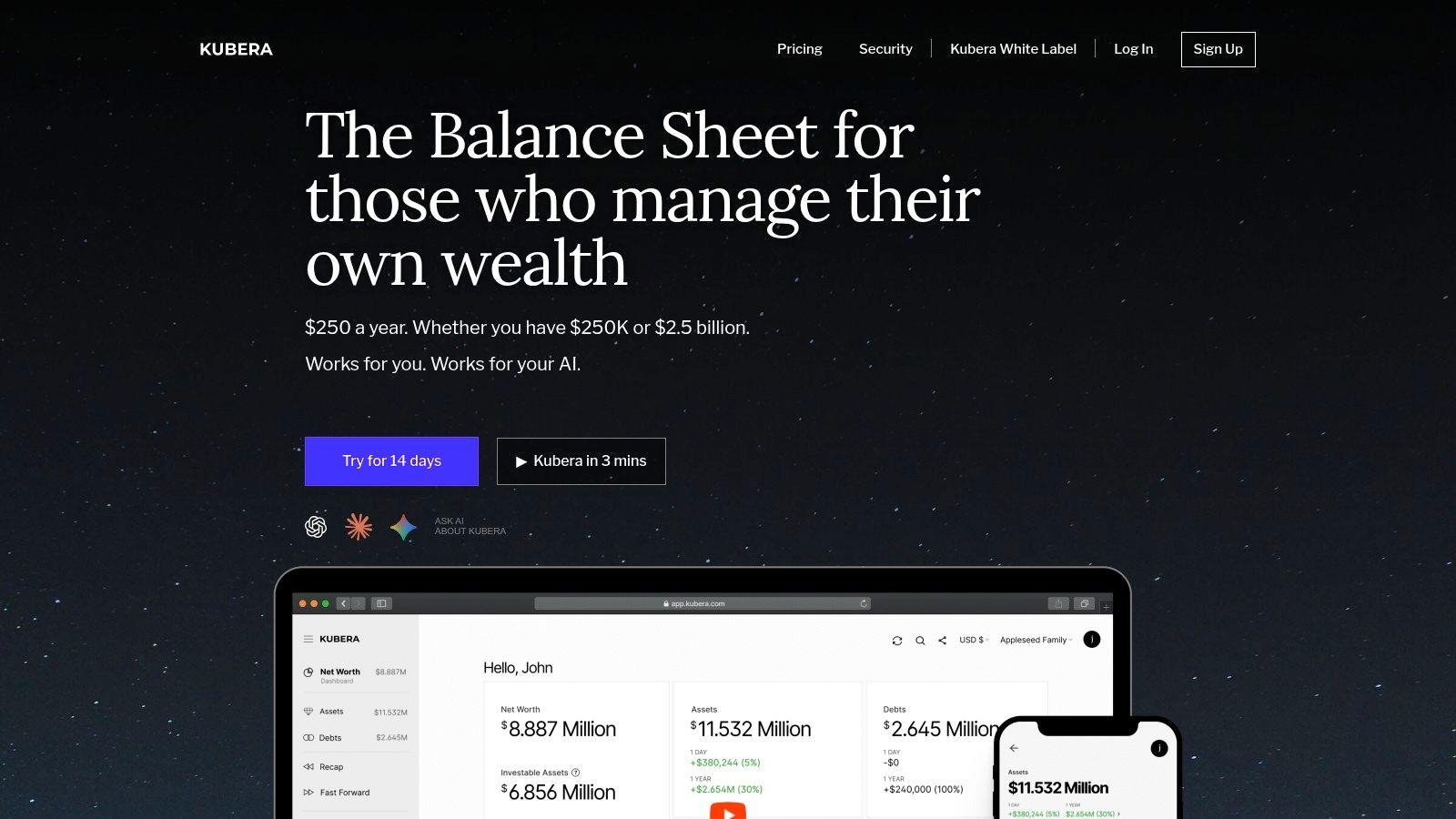
Kubera is not a pure stock tracker, and that's exactly why some investors prefer it. It gives you a net-worth view across brokerage accounts and non-security assets such as cash, real estate, crypto, and private holdings, so the focus is the full balance sheet rather than just public equities. For users who care about wealth consolidation more than portfolio tactics, that wider lens is the whole point.
The platform also includes document storage and beneficiary features, which moves it closer to a modern wealth organizer than a market app. That makes Kubera a strong fit for people who want everything in one place and care about account connectivity as much as asset values.
Its limitation is obvious. Kubera is excellent for wealth tracking, but it is not a research terminal or a deep equity-monitoring system. If you need screening, fundamental analysis, or strategy checks, you'll want a different tool. If you want an integrated view of your financial life, Kubera makes more sense than a stock-only app.
Best fit profile
Kubera suits high-level wealth trackers, family-office-style users, and investors who want one consolidated balance sheet. It is less useful for active stock picking or thesis tracking.
Website: Kubera
10. Koyfin
Koyfin sits between a lightweight app and a professional terminal. Its custom dashboards, valuation views, financial statements, estimates, and alerting make it appealing for investors who want more data depth than a basic tracker without jumping into institutional software. The product feels especially useful for users who like building dashboards around specific questions.
That makes Koyfin a strong fit for self-directed investors who want flexibility. You can monitor portfolios and watchlists, pull in price and valuation context, and combine equity data with broader market information in a single web app. It's the kind of tool that rewards users who have a clear process and want a configurable view of it.
The trade-off is that Koyfin can be more than casual users need. If you only want to check holdings and set a few alerts, it may feel heavier than necessary. If you want a more analytical dashboard without the full complexity of a terminal, it lands in a useful middle ground.
For a direct comparison with a strategy-scoring platform, see Monsa versus Koyfin.
Best fit profile
Koyfin works well for users who want dashboards, estimates, and alerts in one place. It's a good option when you want more analytical structure than Yahoo Finance but less overhead than a professional terminal.
Website: Koyfin
Top 10 Stock Tracker Apps Comparison
| Product | Core features ✨ | UX / Quality ★ | Value & Price 💰 | Target Audience 👥 | Unique Selling Points |
|---|---|---|---|---|---|
| Monsa 🏆 | Strategy-first templates; NL strategy capture; nightly re-scoring; fit scores & matrix; AI analyses ✨ | ★★★★☆, transparent scoring; per-criterion breakdowns | Paid subscription, with plan details on the provider site 💰 | Self-directed investors, indie PMs, small RIAs, clubs 👥 | ✨ Natural-language rules + nightly thesis enforcement; no black box; published templates 🏆 |
| Seeking Alpha (Portfolio + Premium) | Portfolio sync/import; Quant Ratings; articles, screeners ✨ | ★★★★, strong research + crowd signals | Tiered plans, with features varying by subscription level 💰 | Research-led stock pickers, income & event traders 👥 | ✨ Proprietary Quant Ratings + deep article library |
| Yahoo Finance Plus (Bronze/Silver/Gold) | Portfolio aggregation; watchlists; alerts; advanced charts ✨ | ★★★☆, familiar UI; occasional sync quirks | Freemium, with paid tiers for expanded features and history 💰 | Everyday to active investors in Yahoo ecosystem 👥 | ✨ Wide coverage; easy migration from other trackers |
| Morningstar Investor | Portfolio X-Ray; holding analytics; integrated research & ratings ✨ | ★★★★, fundamentals-first, research-centric | Subscription, with occasional discounts depending on eligibility 💰 | Fund/ETF investors, fundamentals-focused users 👥 | ✨ Morningstar datasets & X-Ray analytics |
| Simply Wall St | Snowflake visual infographics; fair-value models; portfolio analytics ✨ | ★★★★, very approachable visuals | Freemium, with paid tiers that expand coverage and usage 💰 | Long-term idea vetting; retail investors seeking clarity 👥 | ✨ Snowflake visuals and digestible valuation summaries |
| Stock Rover | Broad metric screeners; portfolio rules; P/L & alerts; side-by-side fundamentals ✨ | ★★★★, highly configurable, spreadsheet-style | Tiered plans, often strong value for fundamentals users 💰 | Fundamentals-oriented retail investors and DIY analysts 👥 | ✨ Deep screeners + custom data views |
| TradingView | Advanced multi-asset charting; Pine Script; alerts & community scripts ✨ | ★★★★★, best-in-class charting & scripts | Freemium, with paid add-ons for more advanced feeds and features 💰 | Technical traders; multi-asset watchers; script users 👥 | ✨ Pine Script ecosystem + vast community indicators |
| Sharesight | Auto dividends & corporate actions; XIRR; tax reporting; broker import ✨ | ★★★★, reporting-first, accurate tax handling | Tiered plans, with more advanced reporting in paid levels 💰 | Dividend & tax-aware long-term/global investors 👥 | ✨ Market-leading dividend/tax automation & reporting |
| Kubera | Net-worth aggregator; multi-asset live pricing; document vault ✨ | ★★★☆, clean UI; wealth-tracker focus | Premium-priced subscription, with details on the provider site 💰 | Users needing whole-balance-sheet view (real estate, crypto, etc.) 👥 | ✨ Full asset consolidation, document & beneficiary features |
| Koyfin | Custom dashboards; price/valuation/macro data; portfolio alerts ✨ | ★★★★, powerful, approachable dashboards | Tiered plans, with advanced data available on higher subscriptions 💰 | Investors wanting modern dashboards & macro + equity data 👥 | ✨ Flexible dashboards with good fundamentals & macro depth |
Aligning Your Tools with Your Investment Thesis
The best stock tracker app isn't the one with the most features, it's the one that matches how you make decisions. If you need charting depth, TradingView is hard to beat. If you care about dividend accuracy and tax-aware reporting, Sharesight is the more relevant choice. If you want broad research with portfolio context, Seeking Alpha, Morningstar, and Koyfin each solve different parts of the same problem.
The divide in this category is between tools that show market activity and tools that enforce process. Yahoo Finance and Kubera are useful when you want coverage and convenience. Wall St and Stock Rover help with fundamentals. Monsa is different because it asks whether a holding still fits the thesis you wrote down, then checks it again nightly using refreshed fundamentals, prices, and FX. That makes it a strong fit for investors who treat discipline as part of the strategy, not as an afterthought.
This is also where the market gap becomes clear. App roundups usually emphasize watchlists, alerts, quotes, charts, and screening, but they rarely address strategy drift or multi-market data coverage in a serious way. For investors who run rules-based portfolios, that omission matters more than any extra chart widget. A tool can be impressive and still fail the one test that counts, whether it helps you hold the right stocks for the right reasons.
Choose the app that supports your workflow, not the one that looks best in a feature list. Then keep your process simple enough that you'll use it.
If you want a tracker that checks whether each holding still matches your written thesis, Monsa is built for that job. It translates strategy into explicit rules, re-scores your portfolio nightly, and surfaces fit verdicts instead of just market noise. Visit Monsa to see how a strategy-aware stock tracker app can keep your portfolio aligned with the way you invest.
Monsa is a portfolio-analysis tool, not a broker or investment adviser. Nothing here is investment advice.
// related reading
What Is Portfolio Turnover and Why It Matters
What is portfolio turnover? Learn the SEC formula, worked examples, costs, taxes and benchmarks to judge if trading fits your strategy.
Watchlist Management: A Step-by-Step Guide for Traders
Master watchlist management with actionable steps to create, score, and prioritize your stock list. Learn thesis alignment and alerts setup for better
Florida Unemployment Amount: What You Will Actually Receive
Learn how the Florida unemployment amount is calculated, the $275 weekly cap, duration rules, and how partial earnings change your payment in 2026.
7 / 100 founding seats claimed - $100/yr locked, then $190/yr
Monsa is a portfolio-analysis tool, not a broker or investment adviser. It never recommends what to buy or sell - it checks what you hold against rules you wrote. Nothing here is investment advice.